
Phone Orders During the Rush: What Online Ordering Actually Changes for a Small Restaurant
If you run a small independent restaurant, you know the moment. The lunch line is three deep, a plate is in your hand, and the phone starts ringing. You pick it up because a takeout order is money, but the person standing in front of you is now waiting, and the order you scribble on a paper pad with the phone pinned to your shoulder is the one most likely to come back wrong. This short before-and-after video shows that moment, and this article walks through what changes when takeout orders arrive online instead of by phone.
What a Phone Order Really Costs in the Middle of Service
A phone order is not just a few minutes of talking. During a rush it pulls the attention of the one person who is usually holding the whole front of house together.
The walk-in customer waits
Every call you take at the counter is time the guest in front of you spends standing there. In a one-location restaurant without a shift manager, there is often nobody else to step in.
Handwritten orders get read back wrong
Background noise, a bad connection, a quick handwritten note and a shouted read-back to the kitchen leave plenty of room for a missed modifier or a wrong item. When that bag comes back across the counter, you lose time, food and a bit of the guest’s trust.
The kitchen hears about it secondhand
When orders travel from phone to paper to a verbal call-out, the line cooks are working from whatever made it through that chain.
What Changes When the Order Comes In Online
With online ordering, the guest places the order themselves on your restaurant’s own ordering website. Instead of someone taking it down by hand, the order is entered once, by the person who knows exactly what they want.
- The guest types the order. Items and modifiers are chosen from your menu, not written from memory on a pad.
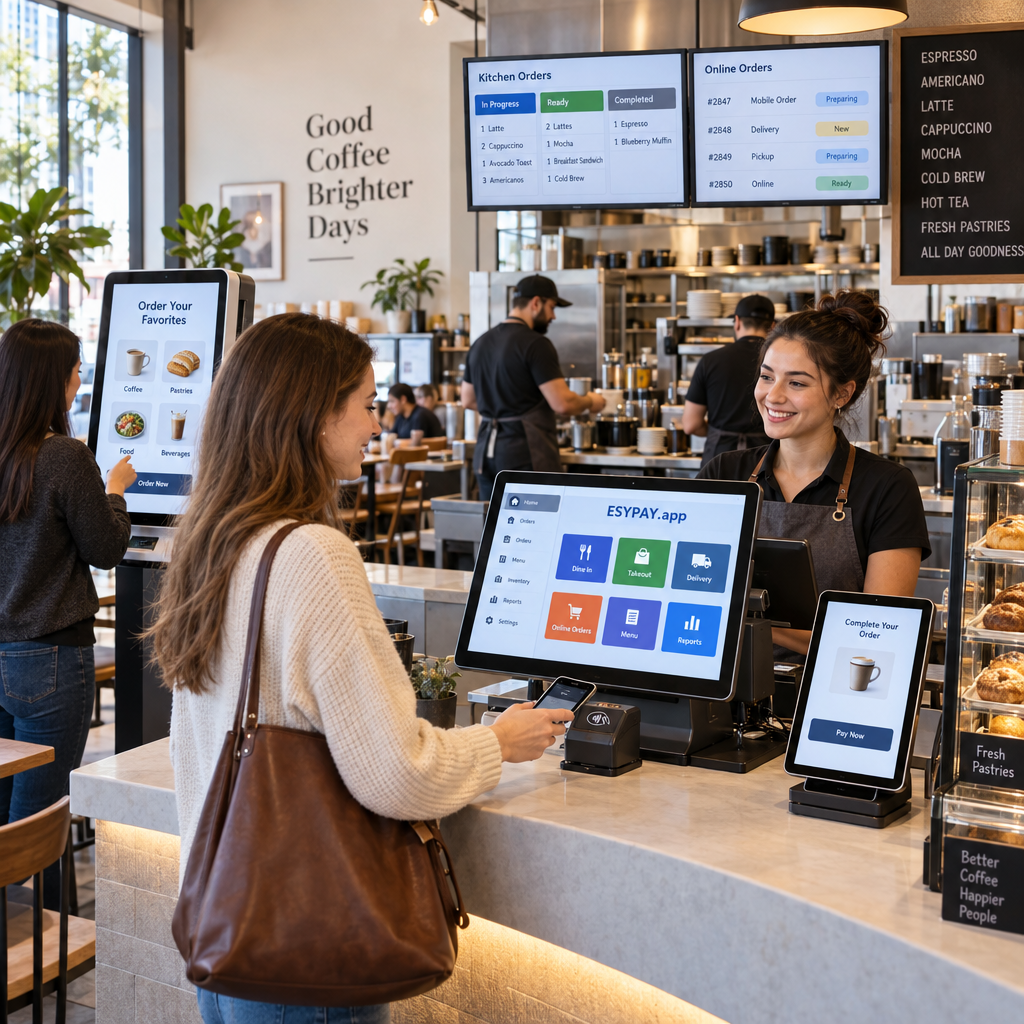
- The order reaches the kitchen on a screen. With a Kitchen Display System (KDS) connected to the same POS, the ticket can appear on the kitchen screen instead of being called out.
- The front counter stays focused on the guest in front of you. Fewer calls during the rush means more attention for walk-ins.
- Pickup gets simpler. Bags can wait on a pickup shelf with the guest’s name on them, so pickup is grab-and-go.
- One system, not three. Online orders, counter orders, QR orders and kiosk orders can all run through the same POS.
What EsyPay.app Includes for Online Ordering
According to the EsyPay pricing page, every plan includes an online ordering website, self-order kiosk software, QR code ordering at each table, a Kitchen Display System (KDS) panel, TV menu and price displays and cash register software, all connected to the same EsyPay POS. Hardware is included only where a plan specifies it.
The three published plans
- Bring Your Own Equipment, $80/month (billed monthly): EsyPay cloud-based POS software on your existing compatible devices. A device compatibility review is required. Hardware and payment terminals are not included.
- EsyPay Equipment Rental, $210/month (billed monthly): $80 software plus $130 equipment rental. Includes a cash register, a Kitchen Display System screen and a receipt printer. Payment terminals are not included.
- Complete POS and Processing, $270/month (billed monthly): includes a customer self-order kiosk, cash register, Kitchen Display System screen, receipt printer, two payment terminals and transaction processing through EsyPay. Processing rates depend on business type, processing history, volume, card mix and underwriting approval.
Yearly billing options are also listed on the pricing page. Prices shown there do not include taxes, shipping, optional accessories or third-party service fees, so check the page for the current details before you decide.
Who This Is For
- Family restaurants, pizzerias, taquerias and fast-casual spots that still take most takeout orders by phone.
- Single-location owners who work the counter themselves during the rush.
- Restaurants that want online, counter, QR and kiosk orders to land in one kitchen workflow.
- Owners who are not shopping for software but are tired of the phone ringing at the worst moment.
Questions to Ask Before You Change How You Take Takeout Orders
Who owns the customer and the menu?
Ask whether the ordering website is your own, who can edit the menu and prices, and how quickly changes show up for guests.
Where does the order go once it is placed?
Ask how online orders reach the kitchen, whether they appear on the kitchen display alongside counter orders, and how the front of house sees them.
What happens at the pickup shelf?
Decide how bags will be labelled and staged so guests can find their order without waiting in line.
What happens when the internet drops?
Every connected system needs a plan for outages. Ask your provider how orders and payments behave offline and who answers when something goes wrong.
How are card payments protected?
Any business that accepts cards should understand the basics of card data security. The PCI Security Standards Council publishes guidance for merchants, and the U.S. Small Business Administration has practical resources on running and growing a small business. The FTC small business guidance also covers protecting customer information.
Tips for a Smoother Switch to Online Ordering
- Keep your online menu short and clear at first, and match it to what the kitchen can actually make during a rush.
- Tell your regulars. Put a QR code or your ordering link on receipts, takeout bags and your social profiles.
- Set up a dedicated pickup shelf near the door so online guests do not join the counter line.
- Walk your team through how an online ticket looks on the kitchen screen before your first busy shift.
- Keep the phone for questions, and gently point callers to the website for orders.
Frequently Asked Questions
Do I need a new website to offer online ordering?
EsyPay’s pricing page lists an online ordering website as included in every plan, so you do not need to build a separate ordering site.
Will online orders show up in the kitchen?
Every EsyPay plan includes a Kitchen Display System panel connected to the same POS. Ask the EsyPay team how online orders are routed for your specific setup.
Can I use my existing equipment?
The Bring Your Own Equipment plan is designed for existing compatible devices, after EsyPay reviews them for compatibility.
How do I find out which plan fits my restaurant?
Request a free quote and tell EsyPay about your restaurant, your current equipment and how you take orders today.
Give Your Rush Back to the Guests in Front of You
Same rush, nobody on the phone. If phone orders are pulling you away from the counter during your busiest hours, EsyPay.app can help you set up online ordering, a kitchen display and a POS that work together. Get your free quote at EsyPay.app, learn more about EsyPay at esypay.app, or contact the EsyPay team with your questions.